

Design Craft: giving your AI assistant a real designer's eye
AI assistants often produce the same plain look. Design Craft gives your AI assistant the taste and standards of a real product designer, so what it builds feels intentional instead of templated.

You ask an AI assistant to build a landing page for your app. It works fast and the code runs. Then you look at it and something feels off. A row of rounded cards. A purple and blue gradient across the top. One big headline floating in empty space. Emoji used where icons belong.
Then you ask another AI for a page for a completely different product, and you get the same page again.
People have a name for this look. They call it AI slop: work that looks fine on its own but looks the same as everything else. It does not feel like anyone made a real choice.
Design Craft is NeedMCP's answer to that problem. It gives your AI assistant the taste of a good product designer, so the screens it builds feel considered instead of templated. They come out clear, specific, and ready to use.
What Design Craft is
Think about the best designer you know. They do not just make things look nice. They have real opinions. They know why a heading should be one size and not another, and they know when a color is too hard to read.
Design Craft hands that kind of judgment to your AI assistant. It is not a picture, a color set, or a ready-made template. It is the thinking behind good design, which is the part the assistant usually does not have.
So when the AI builds a screen, it stops guessing and works like someone who does this every day.
Why this matters
A plain result grabs the safe, easy choices: the same card grid, the same gradient, the same headline in the middle. Those moves are the easiest ones to reach for. The page works, and it looks like every other page.
A result with real care has a clear direction. It picks a mood and stays with it. The text is easy to read. The most important thing on the screen looks the most important. Buttons look like you can press them, even before you do. The space between things feels calm instead of tight.
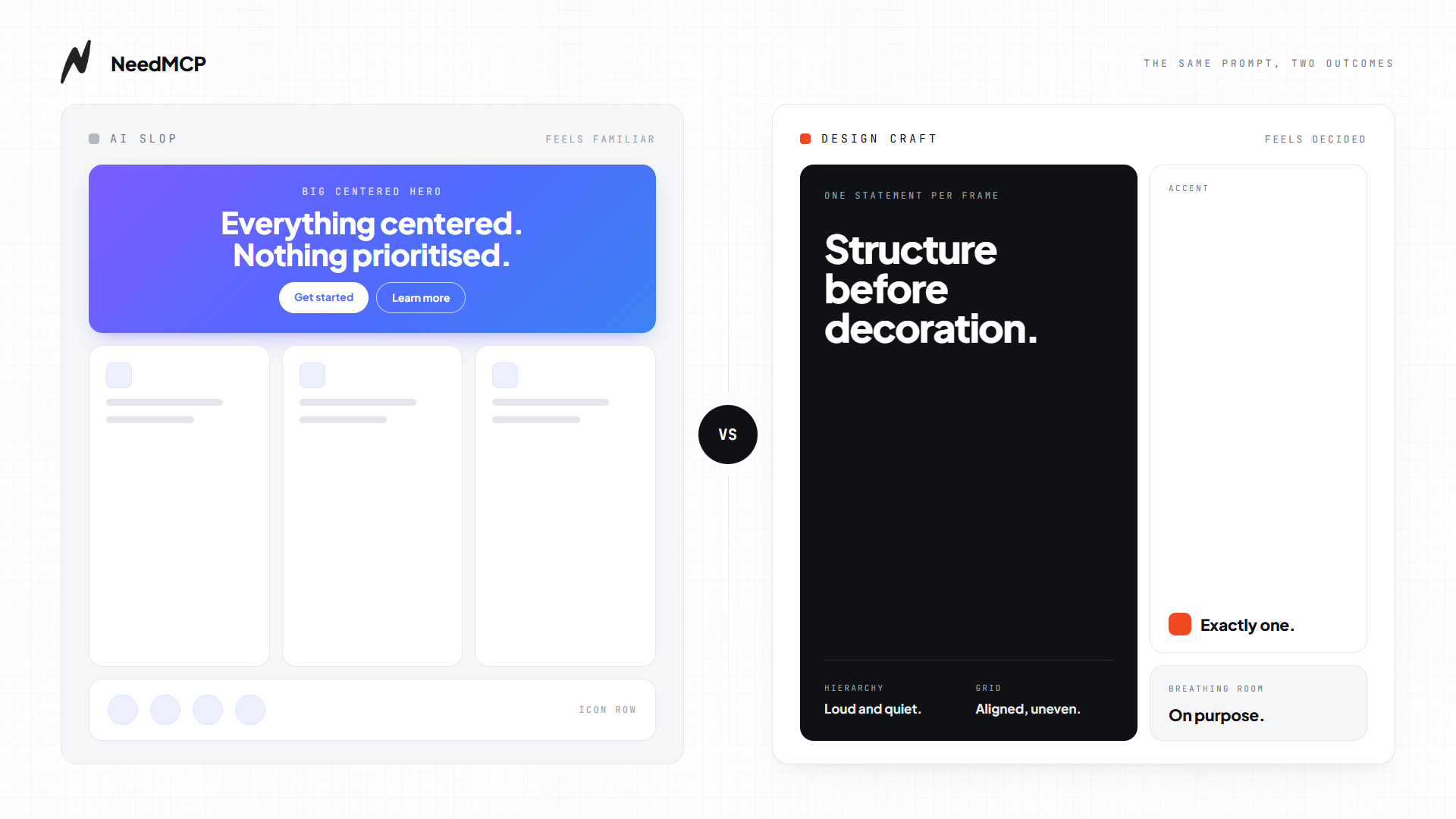
Design Craft pushes the AI toward the second kind of result from the first screen it builds.
How you use it: nothing new to learn
There is nothing new to learn.
You do not type a secret command and you do not switch on a special mode. You ask your assistant to design, redesign, or clean up a screen, the same way you always would, and the design sense shows up quietly in the background. If you say, "This looks plain, can we make it feel more polished?" that is enough.
Design Craft is active by default. There is nothing to enable and no setting to pick. It works as soon as NeedMCP is installed in your AI assistant, and if you have not installed it yet, the installation guide takes a few minutes.
The standards it keeps
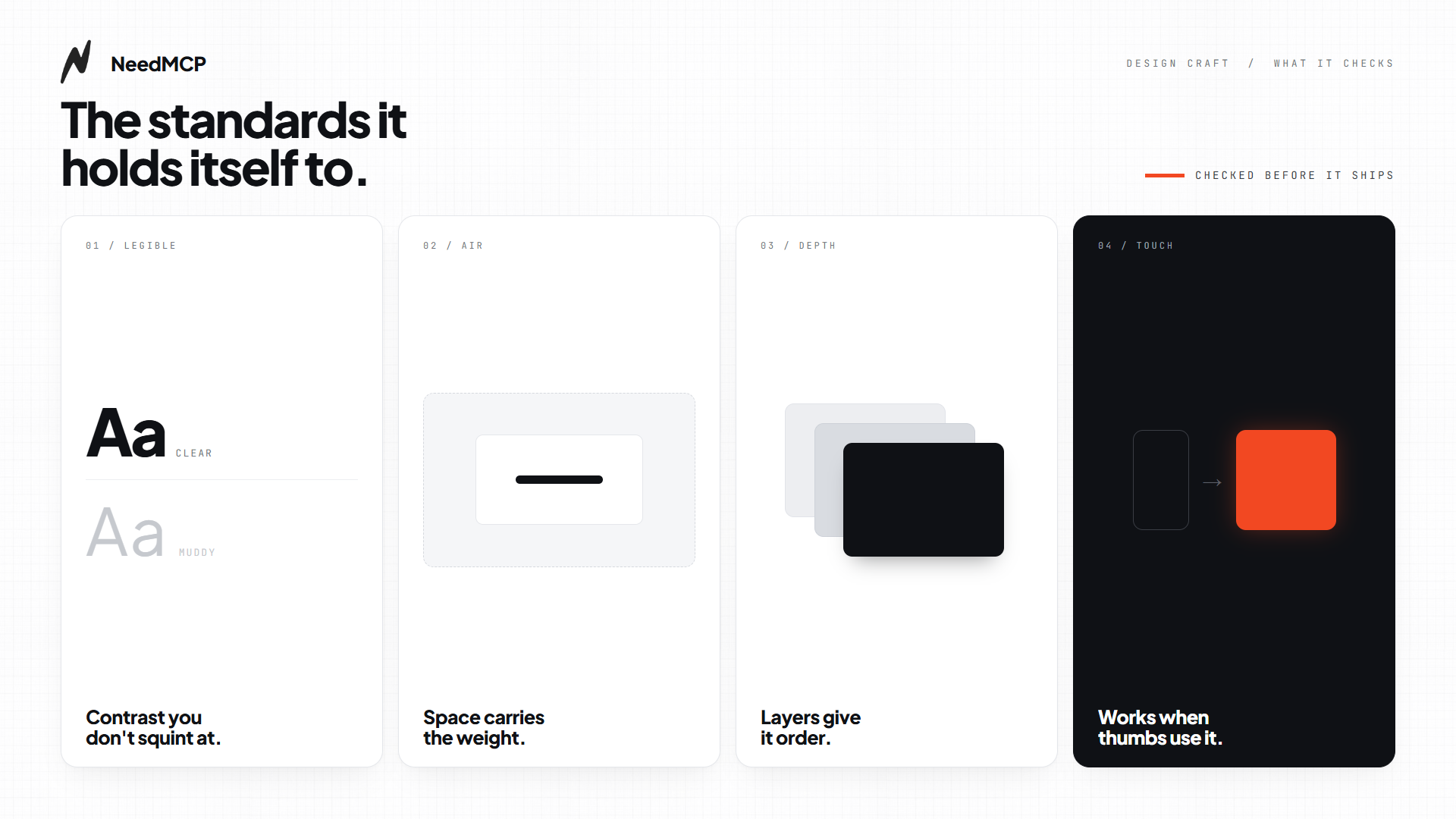
When Design Craft is active, the AI checks its own work against a short set of rules. A careful designer would never skip any of them.
- Readable text. Enough contrast against the background, and a comfortable size.
- Planned spacing. The gaps between things look intentional, not random.
- Purposeful depth. Shadows, borders, and layers that earn their place instead of stacking up.
- Responsive controls. Buttons and links react the moment someone touches them.
- Sensible motion. Movement that helps the reader, not one that pulls attention away.
It also avoids a short list of tired visual habits. Among them are the gradient headline, a small label above every section, a block of emoji standing in for real icons, and three identical feature cards in a row. None of these are banned forever. If you want one, just say so and the AI will use it. The point is that it will not reach for them on its own.
Different pages, different instincts
A page that sells something and a page for focused work should not look the same, and with Design Craft they do not.
- A page that needs to convince is for a landing page or a pricing table. It gets energy and a clear push toward action.
- A page that needs to operate is for a web app or a dashboard full of data. It gets calm reading and speed instead of drama.
- A page that needs to be read is for docs, a blog, or a long article. It gets a comfortable line width.
- A page that needs to be felt is for a portfolio or a showcase. It gets room to be bold.
That is why the AI will not put loud landing-page tricks on a data table. It reads the room first.
What you get out of it
Fewer rounds of "no, not like that," because the first version already starts from a good place. The result fits your product instead of looking borrowed, and you do not need to be a designer to get there. Describe what you want in normal words.
It also works alongside the other NeedMCP design features, which add real colors, type, and ready-made pieces.
Behind the scenes, Design Craft builds on Impeccable, an open design language for AI coding agents.
Try it on your next screen
If you have ever looked at an AI screen and thought, "This is fine, I guess," Design Craft is for you. It is already switched on when you ask your assistant to design or improve a screen. Ask for something and say, "Make it look good." Then notice how much less it feels like a template.
Ship UI that does not look AI-generated
Pull design tokens, wireframes, and modular sections straight into your project over MCP. No screenshot-to-guessing, no generic Tailwind defaults.