

AGENTS.md Builder: give your AI a rulebook before it writes code
Your AI forgets your decisions between sessions, so you re-explain them every time. AGENTS.md Builder interviews you for five minutes and writes the rulebook your assistants actually read.

You have fixed this bug before
You know the one. On Tuesday you told your AI assistant to stop using that date library and use the one your team already has. It agreed. It fixed the code. It was polite about it.
On Thursday, in a new chat, it used the old one again.
Nothing broke in your code that day. Something broke in the way you work. Every session starts with ten minutes of re-explaining decisions you already made: which library, which folder, which naming, which parts it must not touch. The assistant is not being difficult. It genuinely starts every conversation with no memory of what you agreed on last time.
Most people answer this with a longer prompt. That works for an afternoon.
A rulebook, not a longer prompt
AGENTS.md is a plain text file that sits in your project folder. It records the things you would otherwise repeat: your stack, your boundaries, your definition of done.
It is an open standard. Cursor, Claude Code, Windsurf, Codex, Gemini CLI and most modern assistants read it on their own at the start of a session, without being asked.
Think of it as the house rules on the fridge. Nobody has to explain them again at every dinner.
The problem is writing it. Most people open an empty file, type three vague lines, and close it.
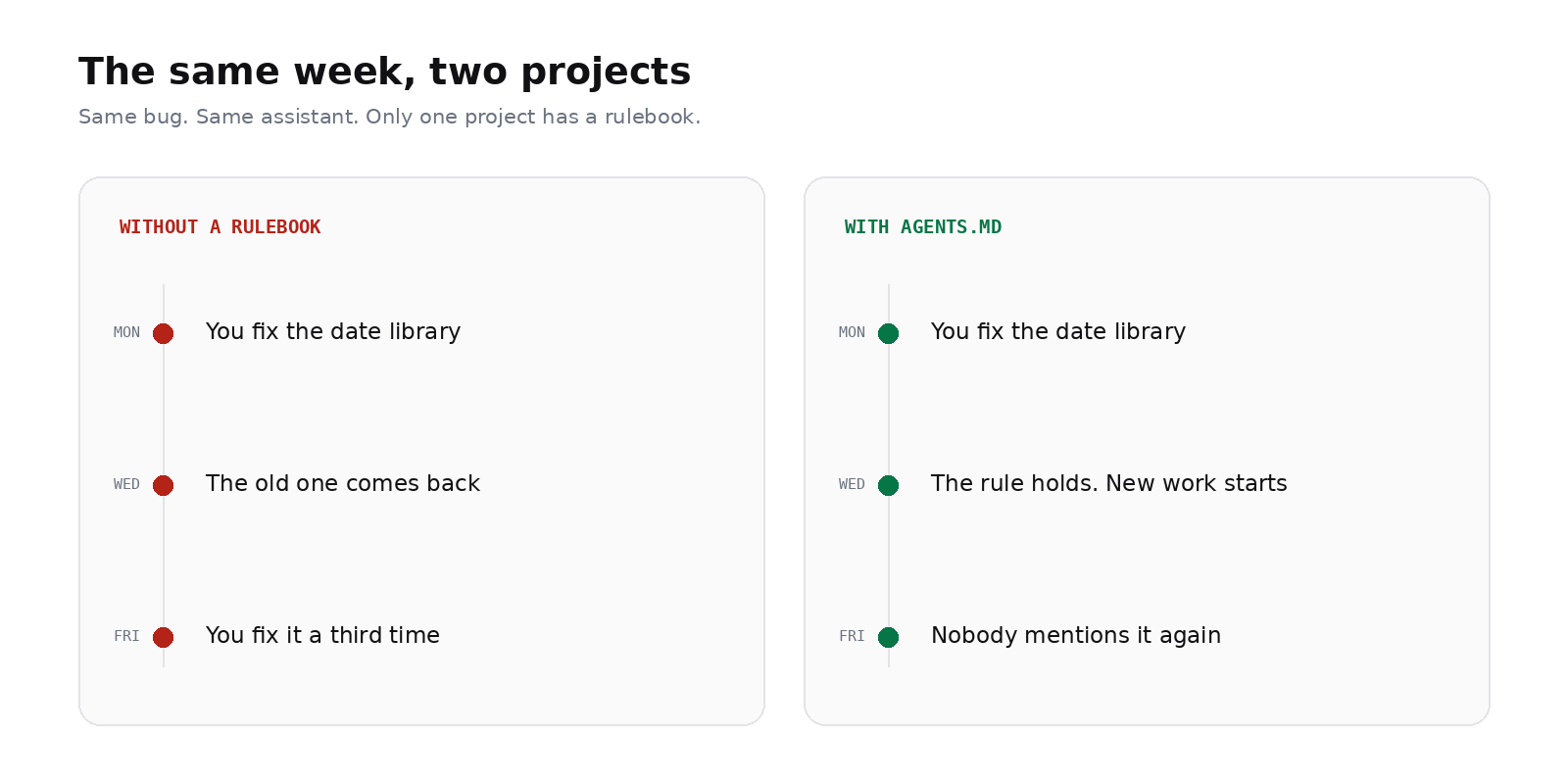
Figure 1 — the same week, with and without a rulebook.
What the builder does instead
AGENTS.md Builder turns that empty file into a short interview. You give it your app idea, it asks a few questions in small batches, and it writes the file for you while you answer.
| Tier | Type this |
|---|---|
| Basic — free, about 5 minutes, 5 rounds of questions | agents-builder:basic build a personal finance expense tracker |
| Max — Pro, deeper interview with stack, platform, data and auth branches | agents-builder:max build a multi-tenant B2B SaaS platform with real-time billing and Stripe webhooks |
Basic is built for single-platform apps, small tools and prototypes. Max is for the projects where getting the rules wrong is expensive, and it ends with a checklist that has to pass before the file is written.
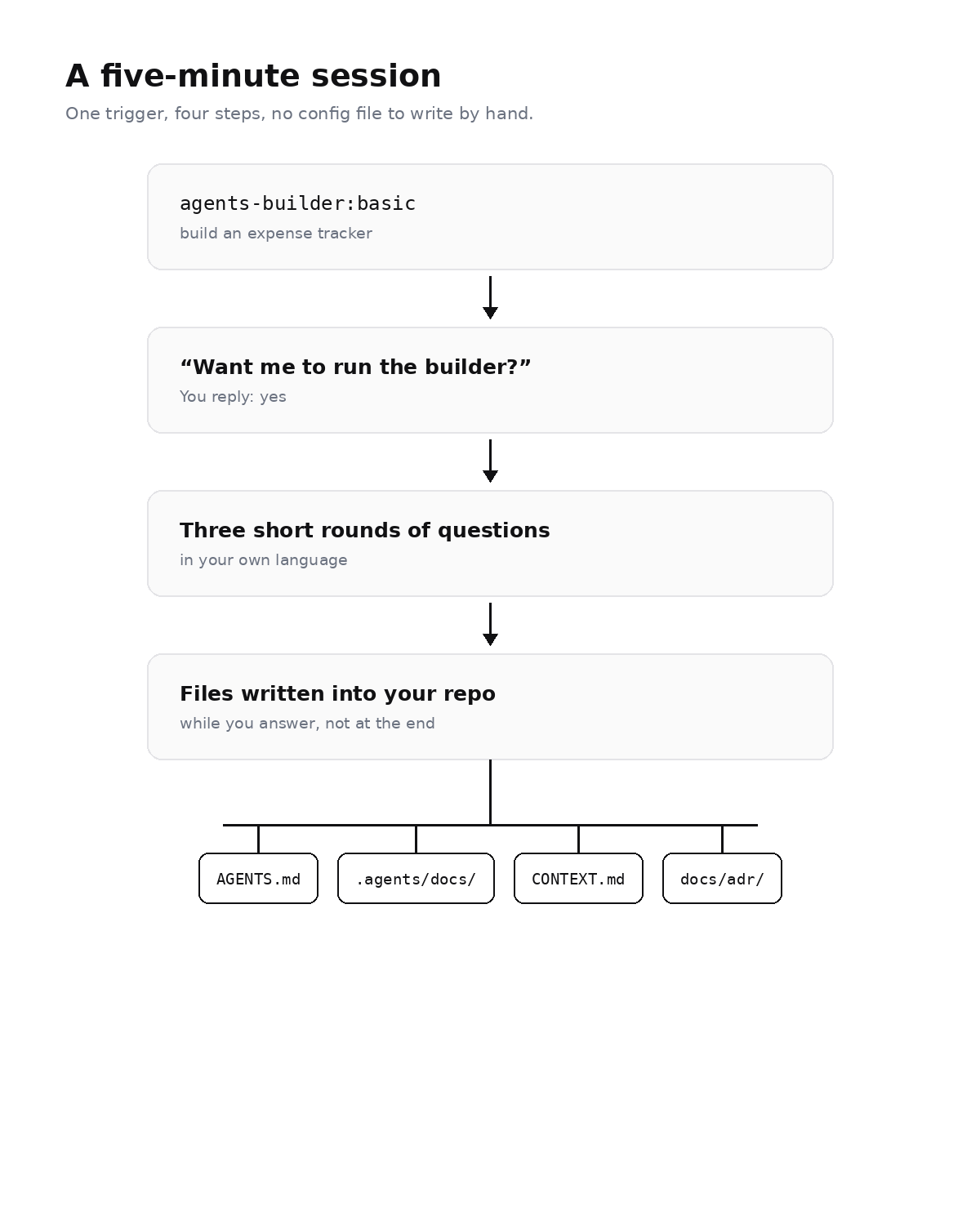
Figure 2 — what a session looks like from your side.
Two things worth knowing before you start. It always asks for your confirmation first, so it will not hijack a prompt you meant as something else. And it runs the interview in your own language, not in English by default.
If your project already has code, it reads your files instead of asking you to retype your stack. An empty folder is quietly treated as a new project, so you are not asked a question it can answer itself.
What actually ends up in your project
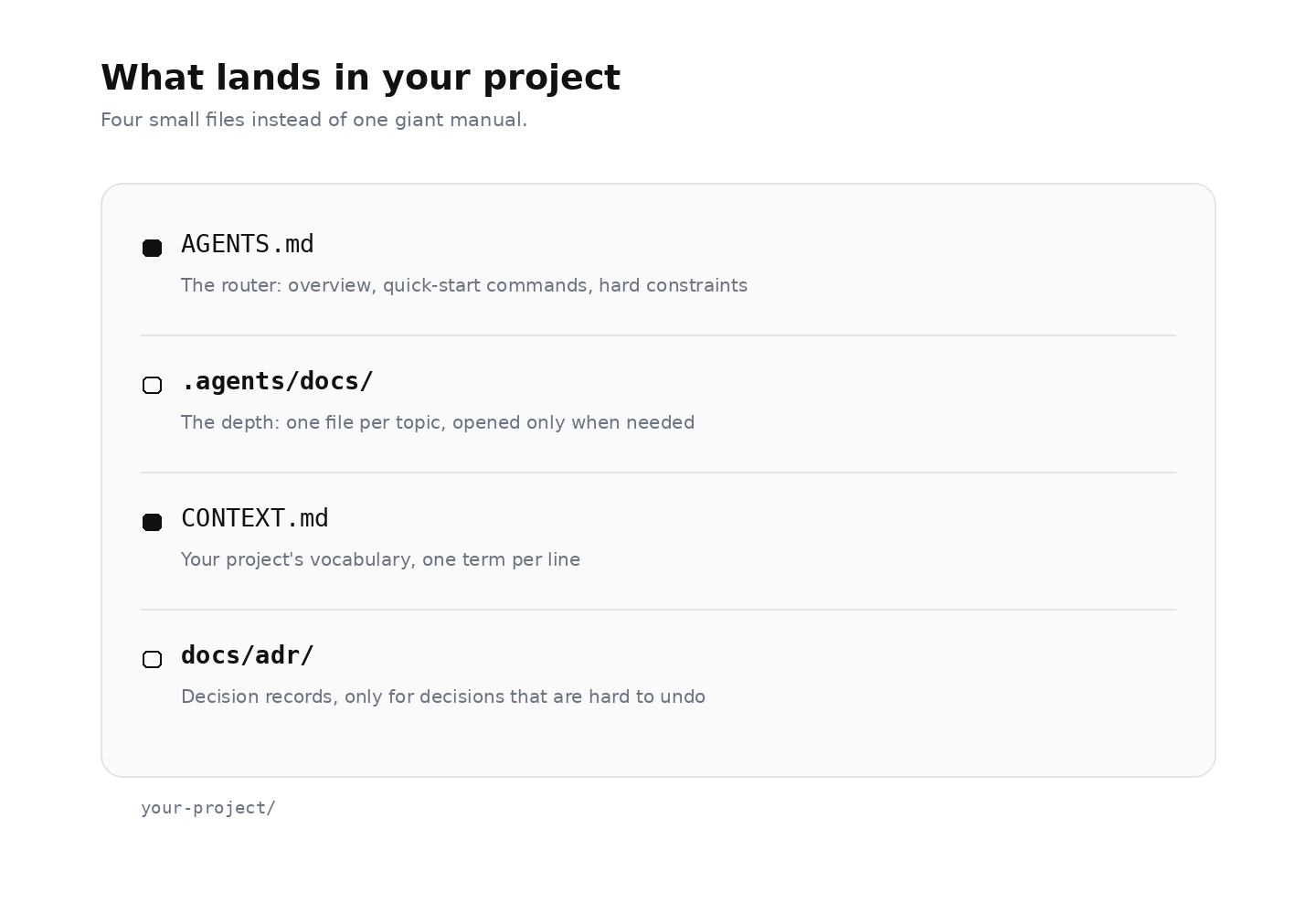
Figure 3 — four small files instead of one giant one.
The detail matters here. AGENTS.md is not the whole manual. It is a router, and the depth lives in .agents/docs/.
That split is the whole point. When you ask for a small bug fix, your assistant opens the router and stops there. Deployment rules and payment rules stay on disk until a task actually needs them.
Two of those files deserve a sentence each, because they are the ones people skip:
CONTEXT.mdis your project's vocabulary. If a word is used inAGENTS.md, it has to exist here first. This is what stops the AI from inventing a second name for something you already named.docs/adr/holds decision records, and only for decisions that are hard to reverse, surprising without context, and a real trade-off. Most decisions fail that test, and that is the correct outcome. It is not a diary.
Why short beats complete
A rulebook that tries to contain everything becomes its own problem. Every line in the file is a line your assistant carries in every conversation, whether or not it is relevant.
Style dumps are the worst offenders: hundreds of hex colours, spacing scales and CSS tokens, pasted in "just in case". They eat the room the AI needs to think, and half of them are out of date within a month.
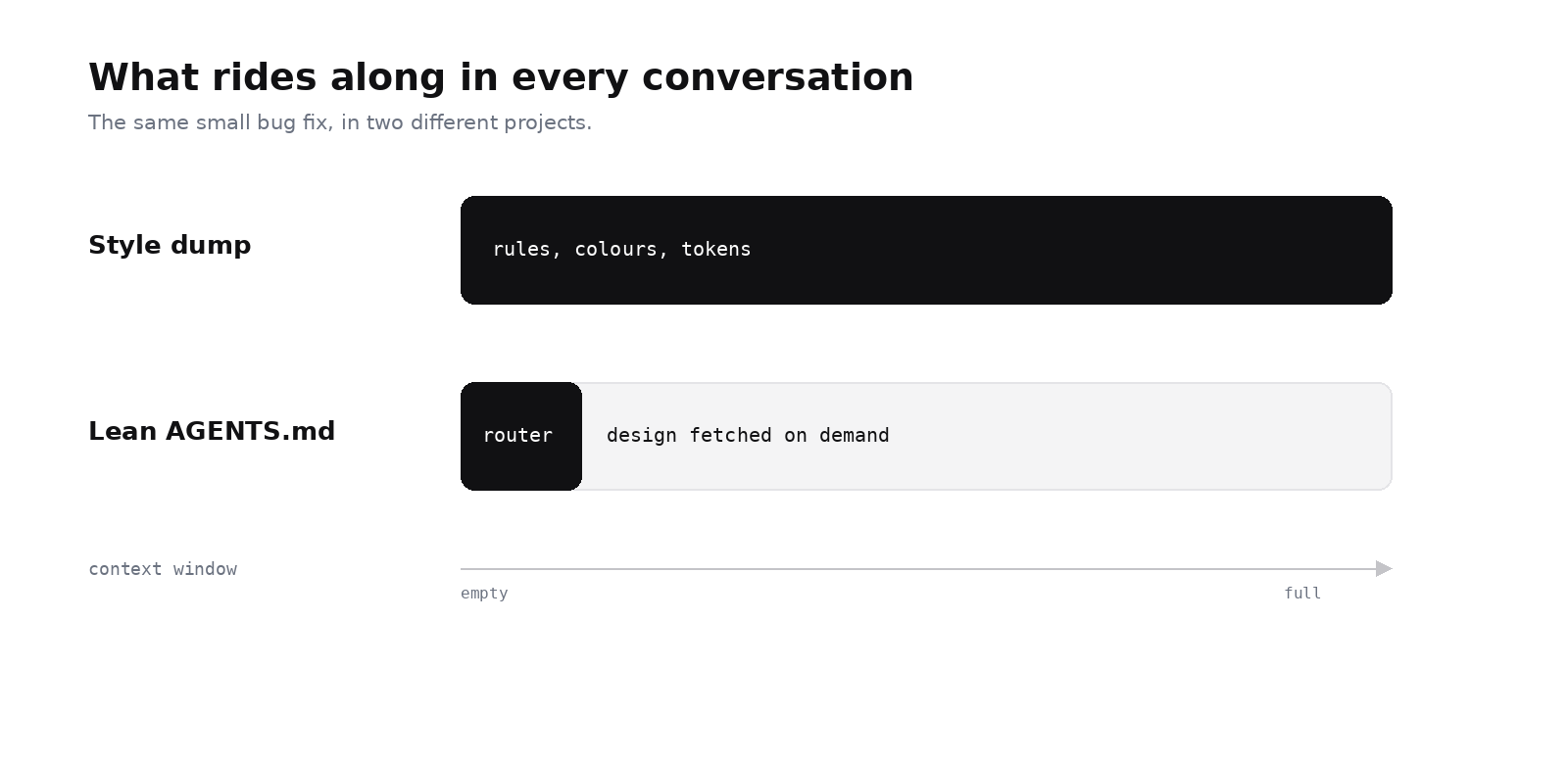
Figure 4 — what you are actually spending your context on.
So the builder does the opposite. If you pick a NeedMCP Style or Design DNA during the interview, the file does not store your colours. It stores the instruction to fetch them when they are needed. Your design stays live instead of frozen in a file, and your assistant stops spending its attention on last month's palette.
Try it in five minutes
- Open your project in Cursor, Claude Code, Windsurf, or any client with NeedMCP connected.
- Type
agents-builder:basicfollowed by one sentence about what you are building. - Answer the questions. They are short, and you can skip styling to use neutral defaults.
- Read the
AGENTS.mdit writes. Correct one thing if it is wrong.
Then start a new chat and ask for a small change. The difference shows up in the first prompt, not the tenth.
What actually changes day to day
- New chats start from your rules instead of from nothing.
- You stop re-explaining your stack, and start explaining only the task.
- The assistant stops inventing packages and running commands you never approved.
- Design decisions live in one place instead of in twenty old chat threads.
- When a teammate opens the same repo, their assistant follows the same rules as yours.
Honest limits
A text file is not a linter. It will not catch every bad decision, and a model that really wants to ignore it still can. The value is not obedience. The value is that the interview makes you decide things you had been leaving vague, and then writes those decisions down where every future session can see them.
That is a small change with a large effect: the same rules, in every session, without you repeating yourself.
Start free with agents-builder:basic on your next project, or use agents-builder:max when the architecture is worth getting right the first time.
Keep reading
More from Guides
6 Desktop Login Wireframes That Don't Look AI-Generated
Six free desktop login wireframes from the NeedMCP catalog, with previews, the one design decision each gets right, and how to tell which one your product should start from.
How to use NeedMCP wireframes in your AI Agent
Wireframes are the part most people connect and never trigger. Here is the whole path: the one-time setup, the slug that names a layout, and how to tell the page came from the blueprint.
Design context for AI coding: how to stop your assistant reinventing your UI every session
AI coding assistants drift between sessions because they lack shared design context. Here is why design drift happens, what six existing fixes leave unsolved, and how an MCP design context service fits in.
Ship UI that does not look AI-generated
Pull design tokens, wireframes, and modular sections straight into your project over MCP. No screenshot-to-guessing, no generic Tailwind defaults.